Punch in.
Hours go to the project.
Invoice comes out.

Workers punch as they always did, by phone or at a face kiosk. The project is picked for them. The invoice is raised from those hours. Nobody types a timesheet.

Punch in→Project→Hours→Rate→Invoice
app.bpmsquare.com/wfm/projects
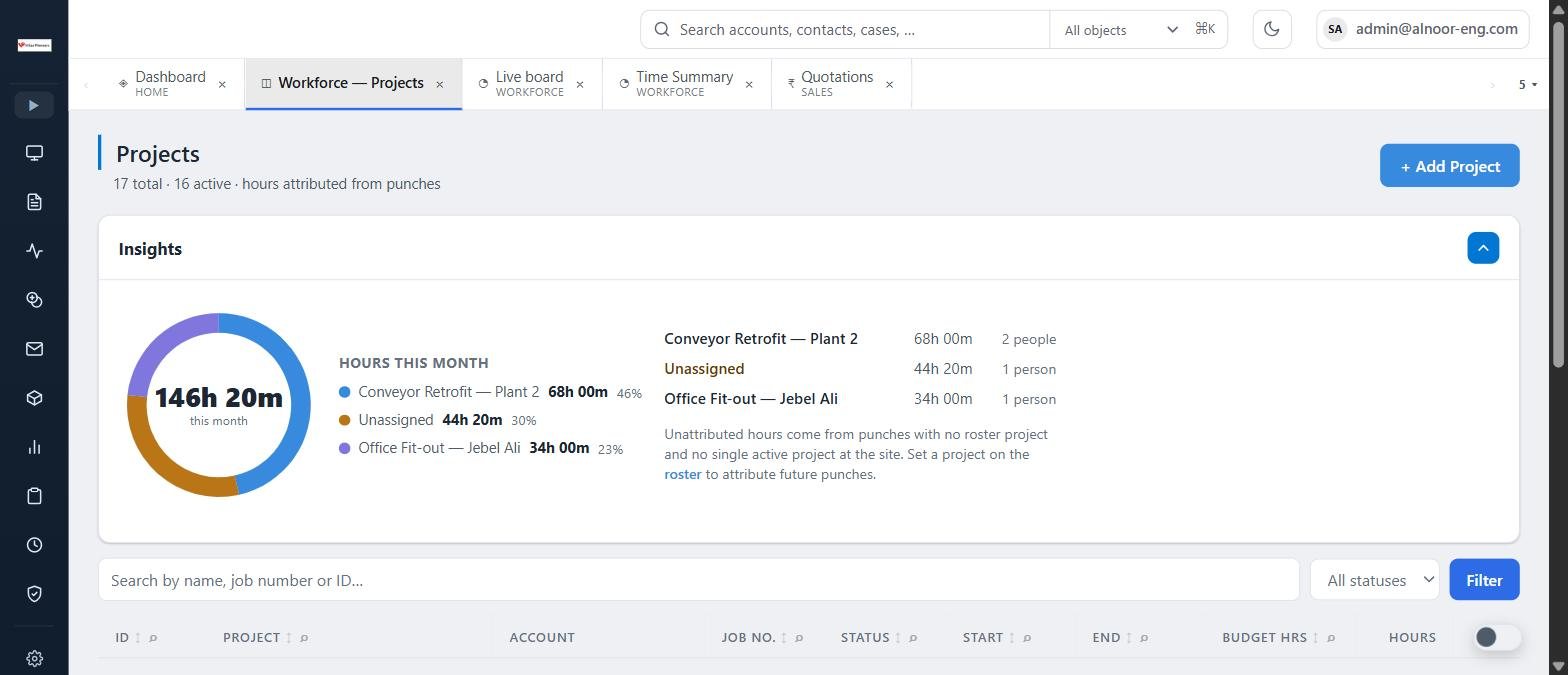
Hours this month by project
Face and location on every punch Shifts, roster, leave, holidays Projects and sub-projects Invoice from hours Monthly summary for payroll
In three lines

What it does

Attendance
Who is in, where, since when.
Phone or kiosk punch with a selfie and a geofence check. Live board per site.
Project costing
Hours land on the right project.
Set up who works on what once. Every punch after that is attributed by itself.
Billing
Pick a period, raise the invoice.
Preview the lines and the rate, create the draft, email the PDF.
Attendance

Verified hours, not remembered hours.

◉

Phone or kiosk

Selfie on the phone, or a door tablet that knows the face. No login on the device.

◎

Geofence per site

Outside the site radius, the punch is flagged or blocked.

◷

Shifts and roster

Standing shift per person, day-by-day changes, night shifts, grace minutes.

✎

Corrections

Missed a punch? Request it. A supervisor approves. The original is kept.

▤

Leave and holidays

Leave types, balances, approvals, weekly offs, holiday calendar.

▦

Monthly summary

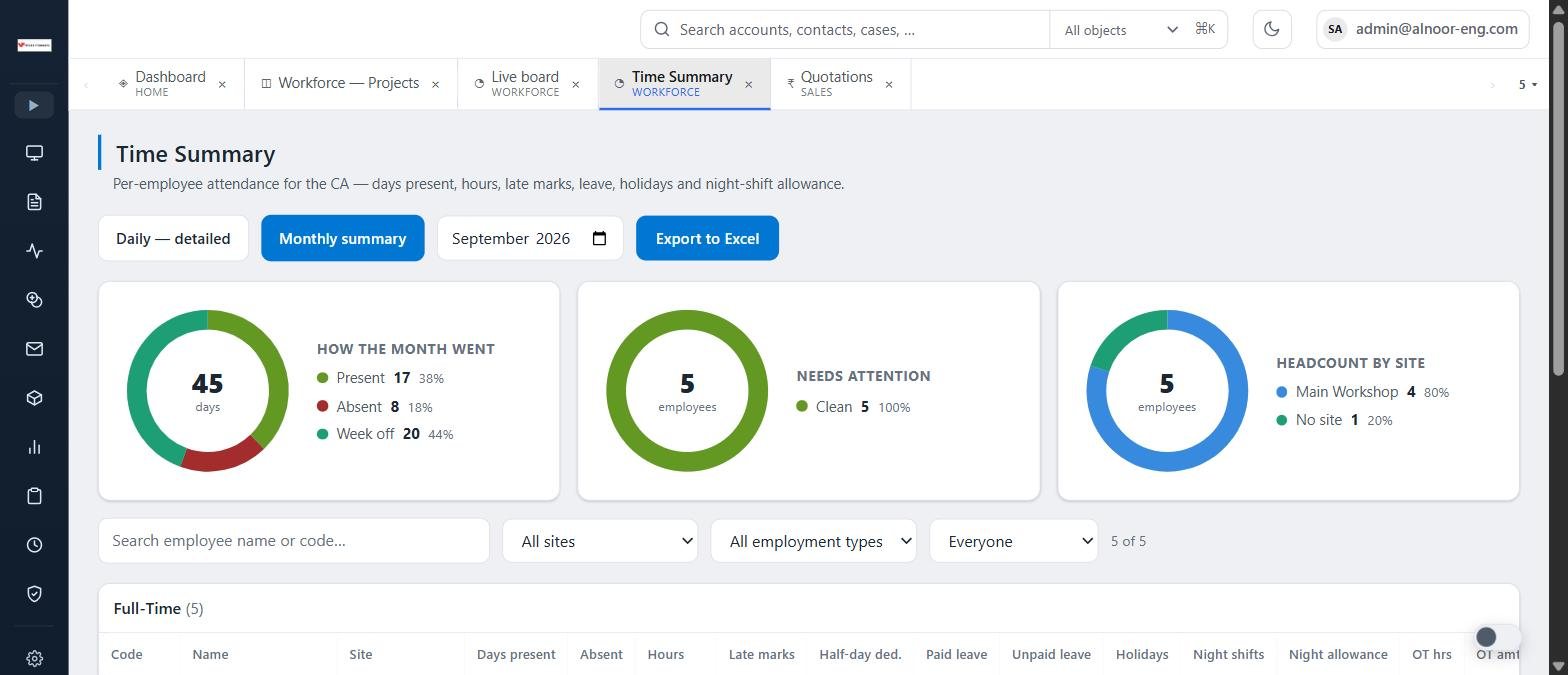
Days, hours, late marks, overtime, night allowance. Export to Excel for payroll.

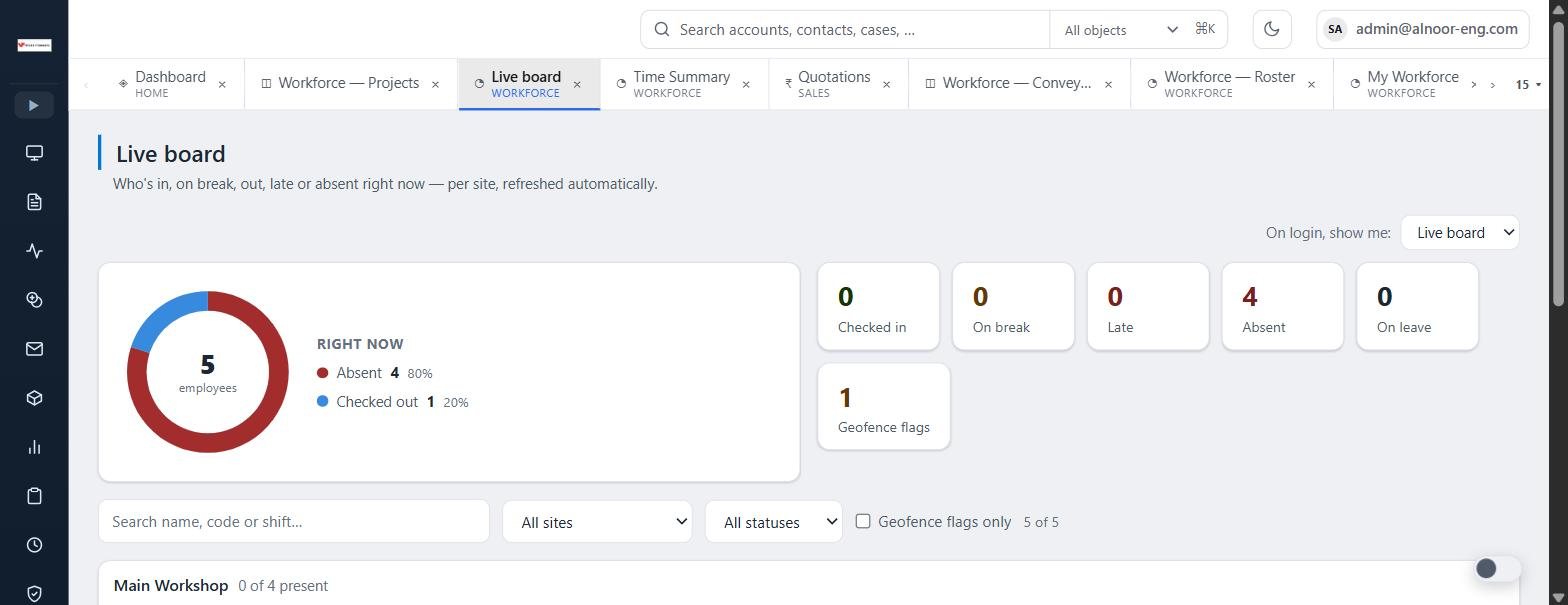
Live board

Checked in, on break, late, absent, on leave, outside the fence. Per site, refreshing by itself.

Live board

Time summary

The month, ready for the accountant. One Excel sheet per employment type.

Time summary
Project costing

Five steps from a punch to an invoice

1

Set rates

Per project, per worker type, or one default.

2

Create the project

Name, customer, budget. Split into parts if needed.

3

Say who works on it

Roster, people, shifts or sites.

4

People punch

Hours land on the project by themselves.

5

Bill the period

Preview, create the draft, email it.

Step by step

On screen

Company and employee names are fictional.

1

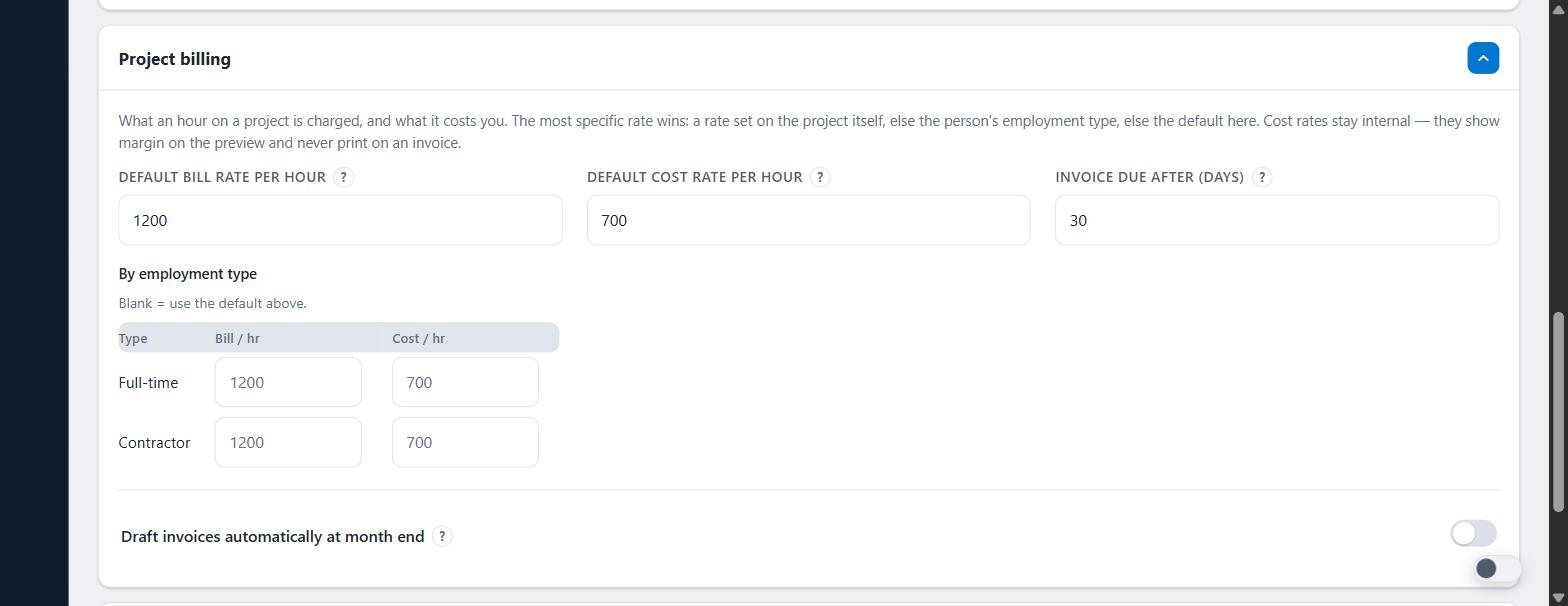
Set rates once

A rate on the project wins. Else the worker's type. Else the default. Cost rates stay internal.

Billing settings
2

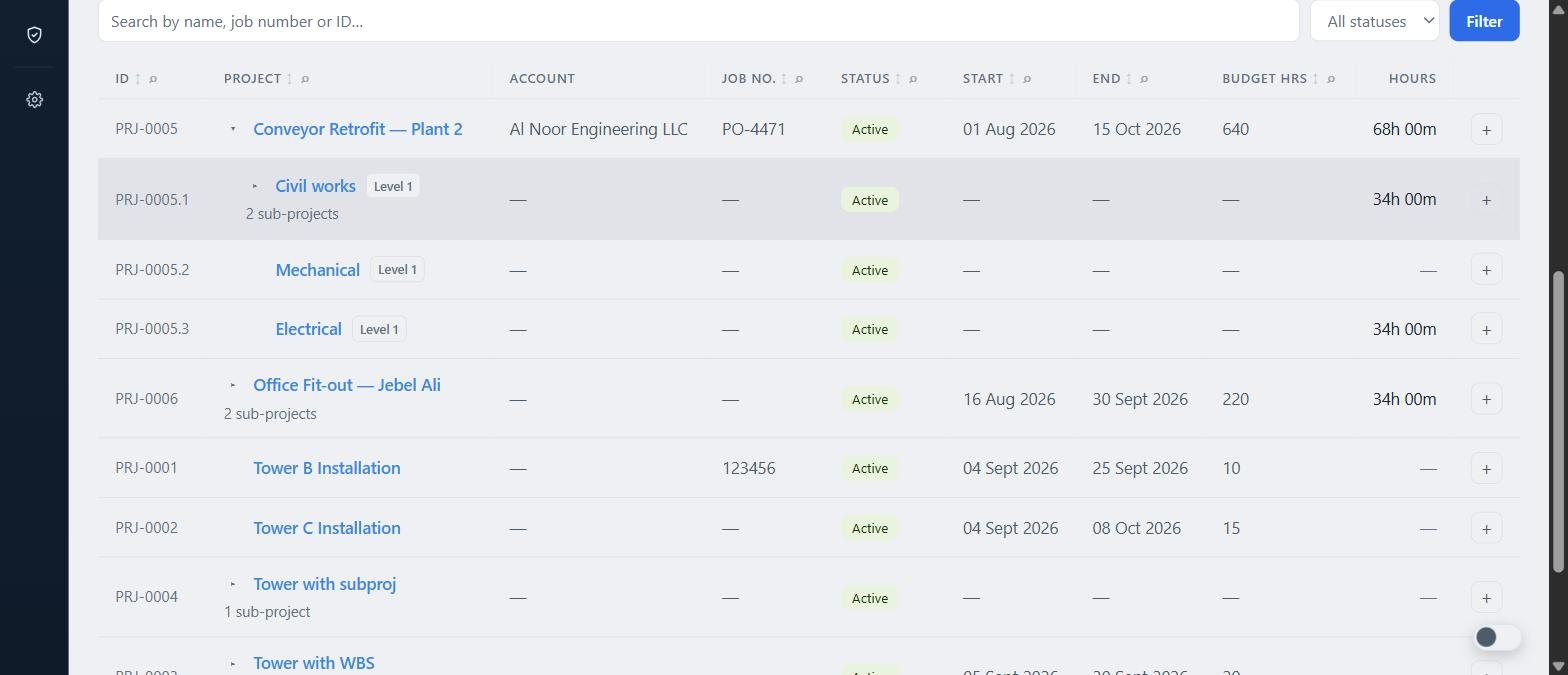
Projects and parts

PRJ-0005, then PRJ-0005.1 and PRJ-0005.1.2. Each part has its own people and budget. Hours roll up.

Projects with sub-projects
3

Say who works on it

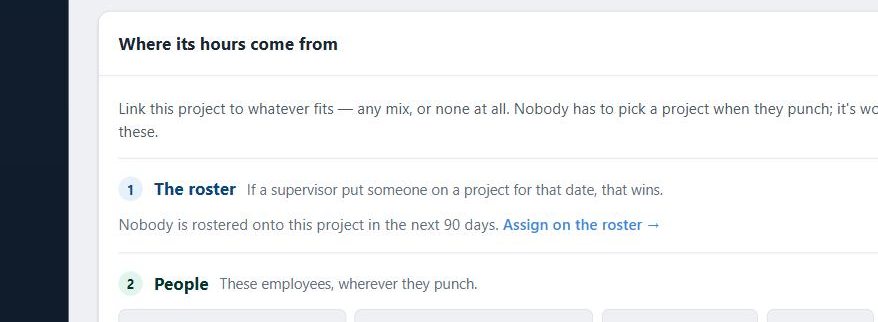
Link people, shifts or sites. First match wins. If two projects match, the hours are shown in amber, never guessed.

Where its hours come from
4

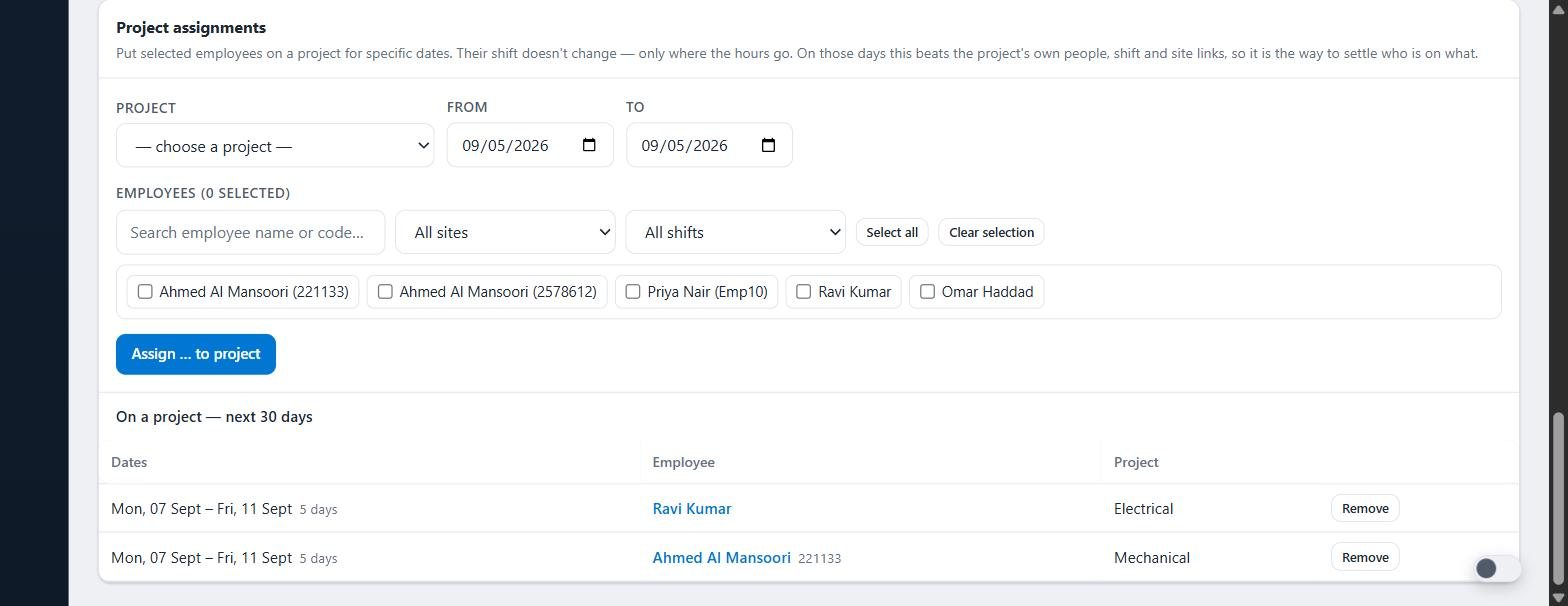
Roster for specific dates

Pick a project, the dates, the people. This beats every other rule.

Roster project assignments
5

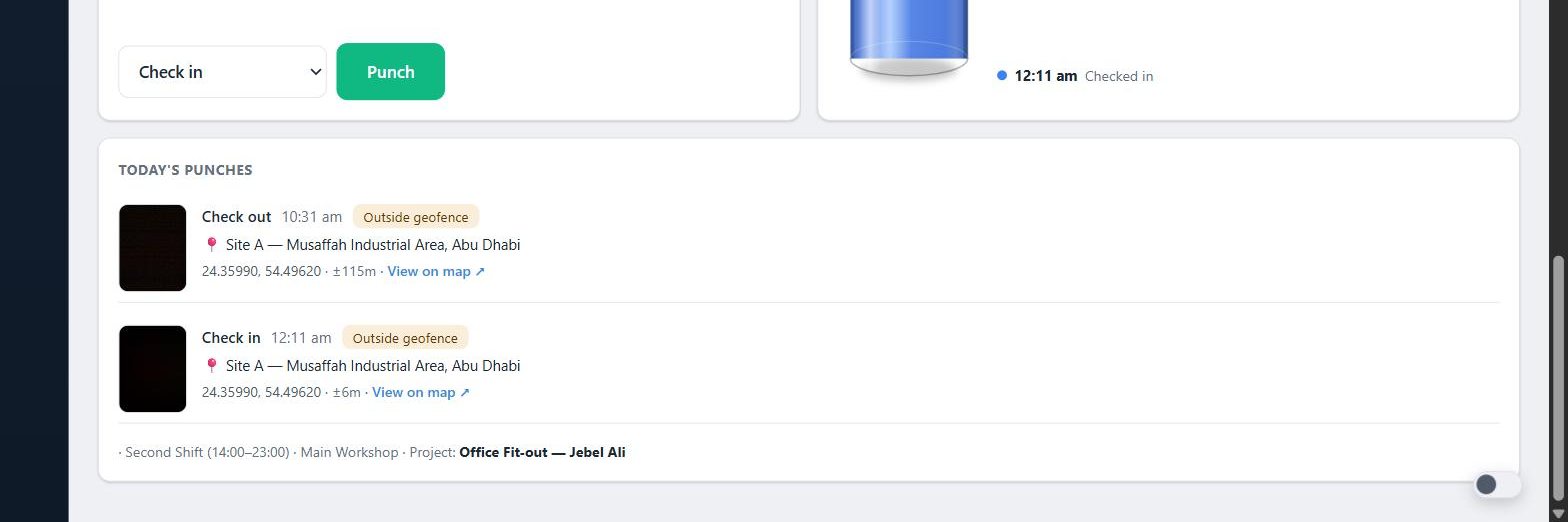
People just punch

Nothing changes for them. The project shows on the punch screen.

Punch screen with project
6

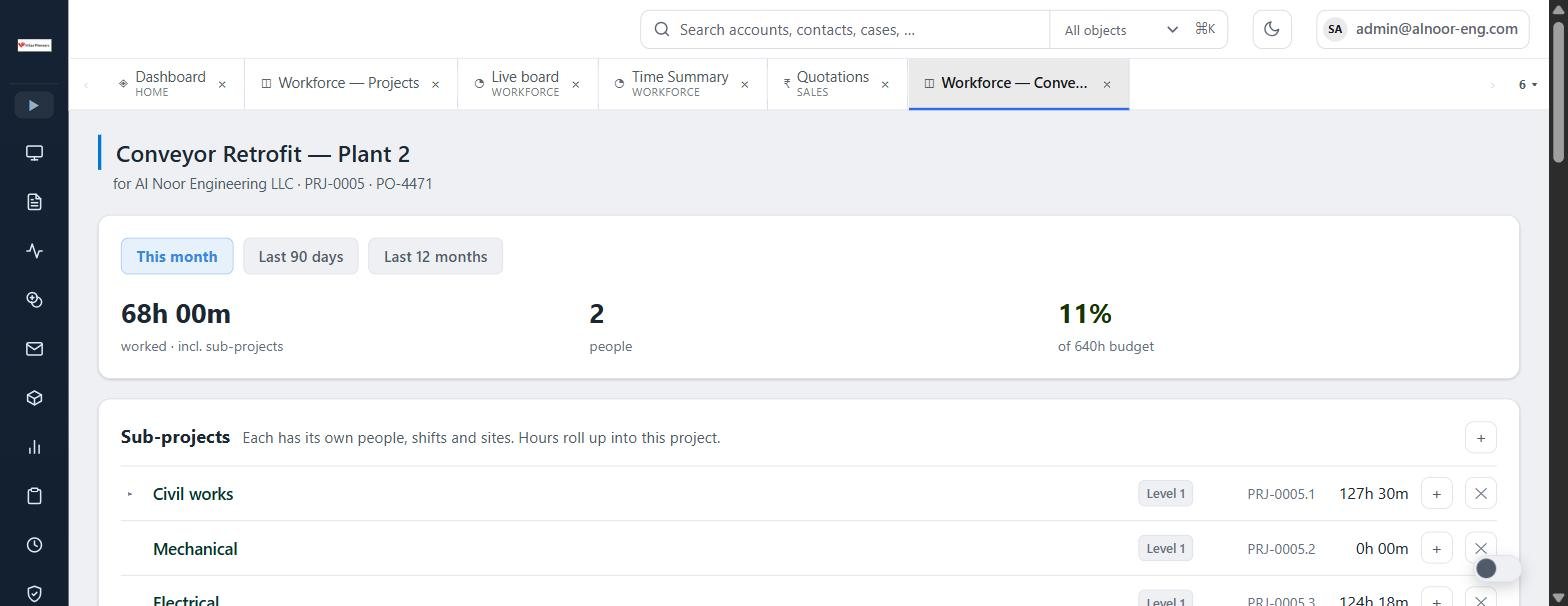
Hours arrive on the project

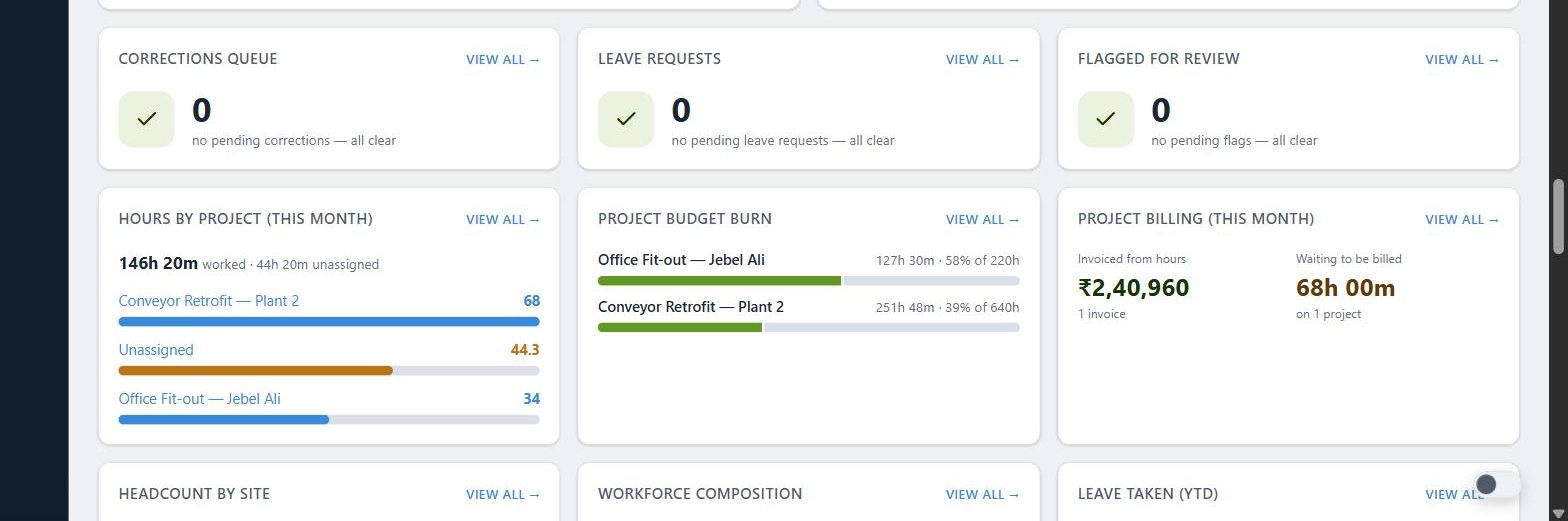
This month, last 90 days, last 12 months. Headcount and percent of budget.

Project page
Billing

The invoice comes from the hours.

7

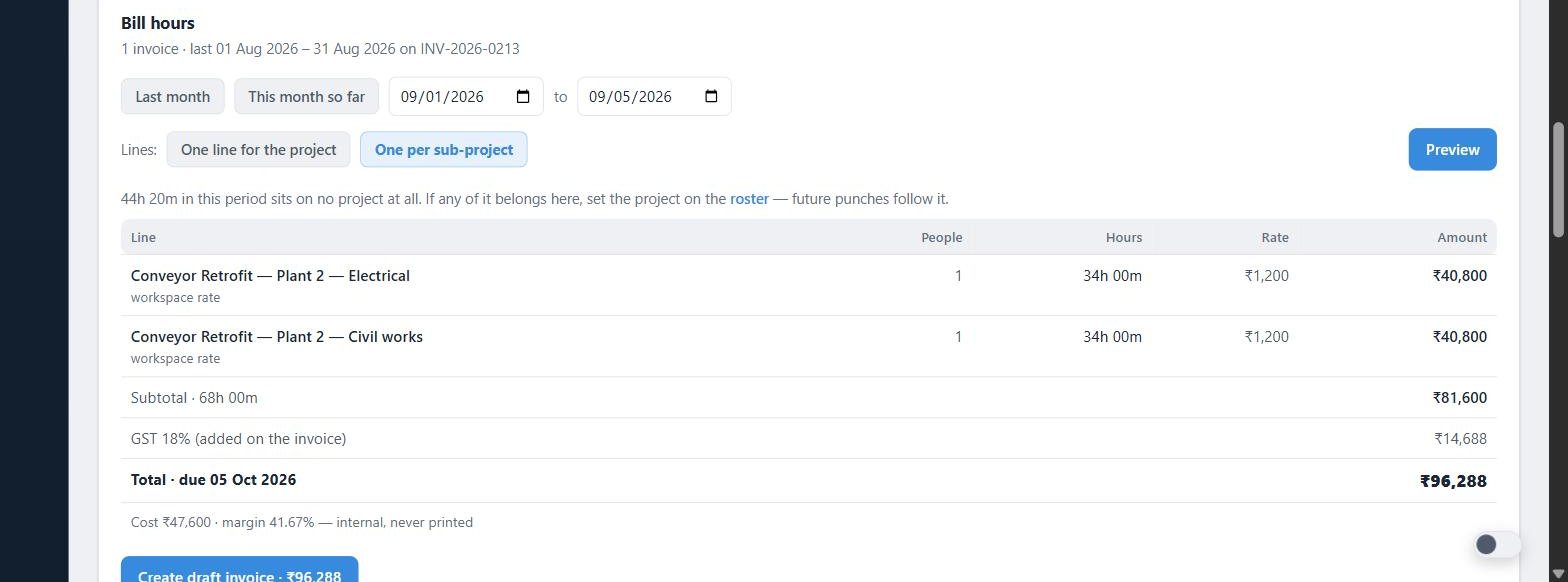
Preview

Pick a period. See each line, the hours, the rate and the tax before anything is created.

  • No double billing of a period
  • Hours added later become a top-up
  • Month-end drafts can run by themselves
Billing preview
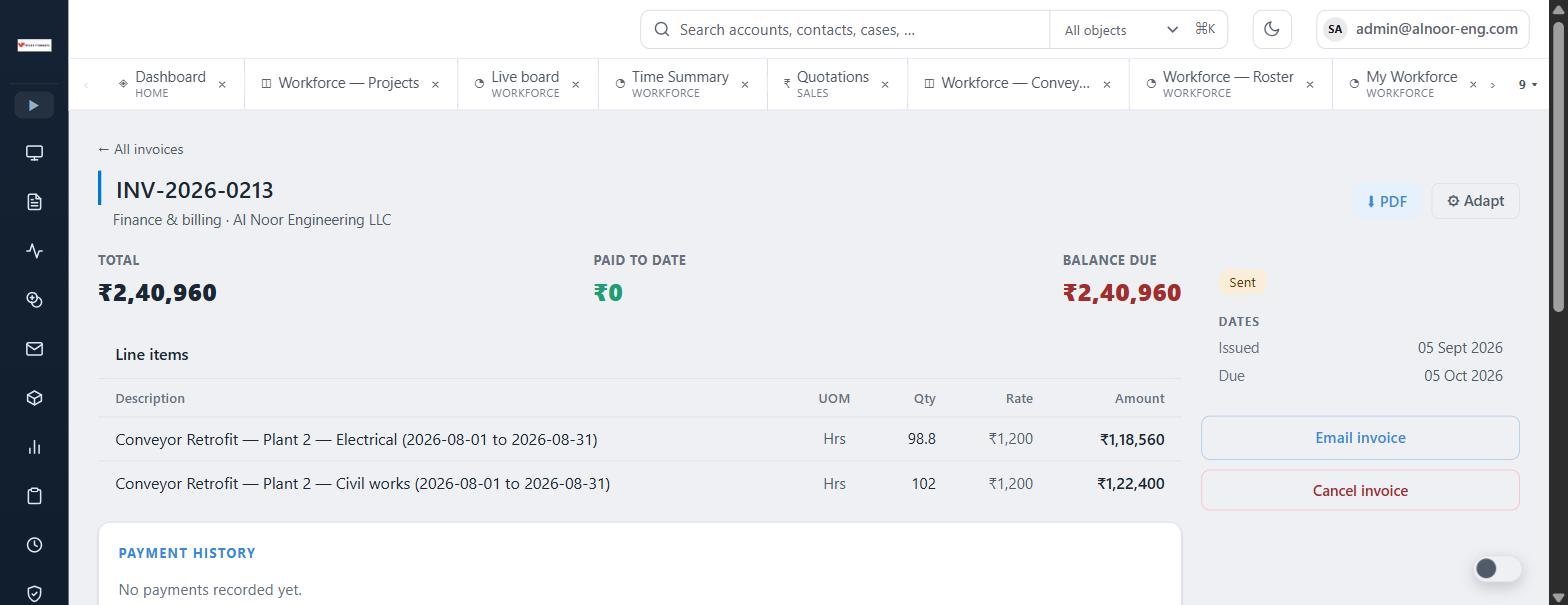
8

Draft invoice

One line per part, with hours, rate and period. Edit it like any invoice.

Invoice from hours
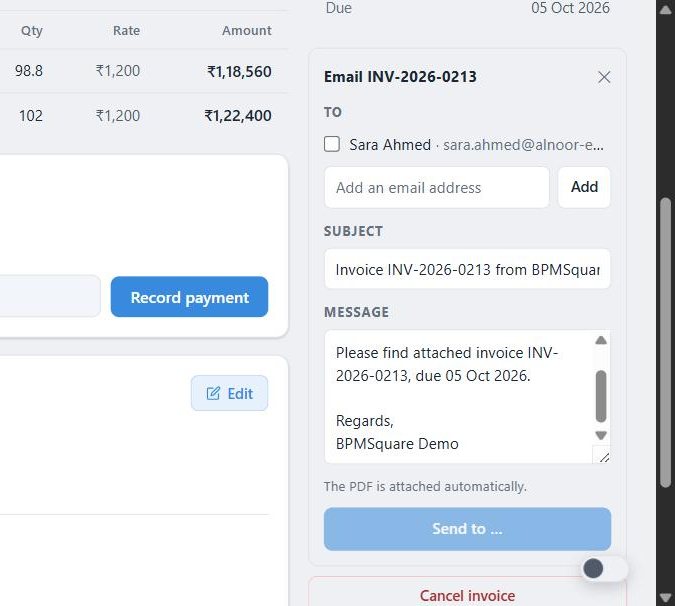
9

Email it

Tick the contacts, add a note, send with the PDF. Every recipient is logged.

Email invoice
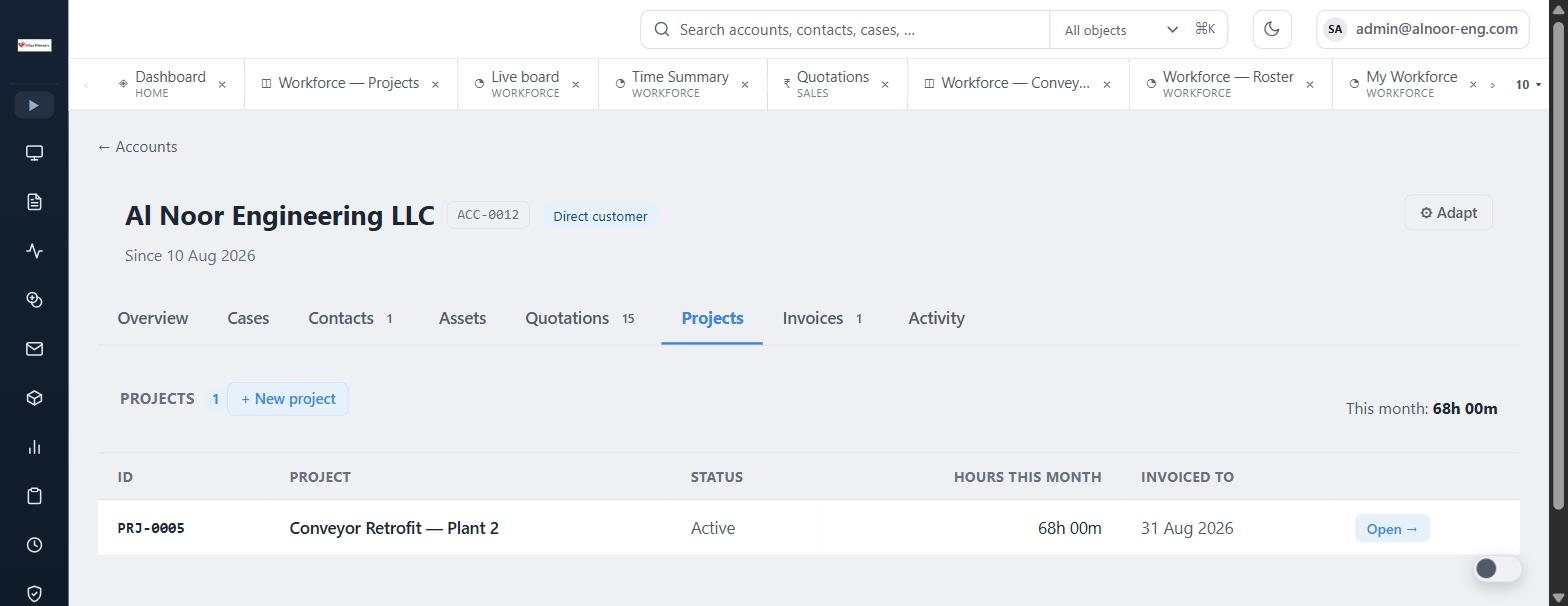
10

The customer page knows

Every project for the customer, hours this month, invoiced up to when.

Account projects tab
Analytics & Talk to data

Ask. Get the chart.

"Hours by project this month." "Billable amount by account last quarter." "Who worked on the retrofit in August." Answered from live data, in seconds.

More on the platform page →
Project costing analytics tiles
Rules the system keeps

So nobody has to remember them.

Actual minutes. Never rounded up to a block.
A night shift counts on the day it started.
Rate order: project, then parent, then worker type, then default.
Fixed at punch time. Later changes affect future punches only.
No double billing. A billed period cannot be billed again.
Unassigned hours are never billed. They are a warning to fix.
Cost and margin stay inside. Never on the invoice or the API.
Everything is on the API. Projects, hours, invoices.
Who uses it

Anyone who sells hours and has to prove them.

Manpower supply

Bill per man-hour or man-day with proof behind every line.

Facility management

Many sites, each geofenced. Each contract a project.

Site contractors

Electrical, mechanical, civil crews. One part each, one invoice.

Industrial services

Shutdown crews with night shifts and overtime.

Workshops

Repair hours per customer job, invoiced with the parts.

Attendance only

Attendance, leave and the monthly summary stand on their own.

See a punch become an invoice line.

Twenty minutes on a live workspace. Bring your rate card.